
Have you just registered for Instagram, only to be hit with a “ban warning” before you even manage to post your first photo? Don’t worry, this situation is more common than you might think, especially if you’re operating from a different geographical region or if your account setup procedures are perceived as slightly “non-standard” by Instagram’s sophisticated risk control mechanisms.
This comprehensive article will delve into the critical details: the primary reasons why new Instagram accounts are instantly banned after registration, effective paths to account recovery, and an essential guide to prevent future bans. We will also share advanced environment setup techniques frequently utilized by cross-border professionals to maintain account integrity and stability.
Understanding Instant Instagram Bans: Common Causes and Triggers
Instagram, often simply referred to as “Ins” by many users, employs an extremely stringent risk control system designed to combat the proliferation of spam accounts, bots, and malicious activities. If your account registration behavior exhibits any of the following anomalous signals, it can quickly trigger an “instant ban” or result in severe account restrictions. Understanding these triggers is the first step toward building a robust and sustainable Instagram presence.
✅ Reason 1: Abnormal or Suspicious IP Address Usage
The IP address you use for registration and subsequent logins is a critical identifier for Instagram. If your IP address appears suspicious or inconsistent, it immediately raises red flags within their system. This includes:
- Utilization of Public VPNs, Shared Proxies, or Data Center IPs: These types of IP addresses are frequently associated with mass account registrations, bot networks, and other illicit activities. Instagram’s algorithms are adept at identifying and flagging IPs that belong to data centers or are widely shared, as they often lack the authenticity of a genuine residential connection.
- Frequent IP Address Changes: Registering an account from one geographical location and then immediately logging in from a completely different region, or consistently switching IP addresses within a short timeframe, mimics bot-like behavior. Instagram expects a degree of consistency in your login patterns.
- Multiple Account Registrations from a Single IP: Attempting to create several Instagram accounts using the same IP address within a short period is a classic indicator of automated or bulk account creation, which Instagram actively discourages and penalizes.
✅ Reason 2: Duplicate Device Fingerprints
Beyond your IP address, Instagram also analyzes your “device fingerprint” – a unique identifier composed of various data points from your device and browser. A repetitive or suspicious device fingerprint can lead to an instant ban:
- Use of Emulators, Virtual Machines, or Device Changer Tools: While these tools have legitimate uses, they are also commonly employed by those trying to circumvent security measures. Instagram can detect patterns indicative of emulated or virtualized environments, as well as software designed to mask or alter device characteristics, leading to account flagging.
- Lack of Browser Privacy Isolation and Residual Cache: If your browser lacks proper privacy isolation or if cookies and cached data from previous Instagram sessions (or other suspicious activities) remain, it can inadvertently create duplicate device fingerprints when attempting to register new accounts. This can make it appear as if multiple accounts are being created from the same virtual device.
✅ Reason 3: Unreliable or Untrustworthy Phone Number/Email
The contact information you provide during registration serves as a crucial layer of verification. Using unreliable sources for your email or phone number can quickly trigger Instagram’s security protocols:
- Registration Email from Temporary Services: Emails from disposable or temporary email providers are a clear sign of an account that isn’t intended for long-term, legitimate use. Instagram’s system is designed to detect and block registrations associated with such services.
- Virtual Phone Numbers (e.g., Online SMS Verification Platforms): Similar to temporary emails, virtual phone numbers obtained from online SMS reception platforms are often used for bulk registrations or to avoid legitimate identity verification. Instagram prioritizes real carrier-issued phone numbers for account security.
- Failure to Input Verification Code Promptly: If Instagram sends a verification code to your email or phone, and you fail to enter it within the stipulated time frame, or if the code is invalid, it can be interpreted as an attempt to bypass verification, leading to an account block.
✅ Reason 4: Abnormal Behavioral Patterns Immediately After Registration
How you interact with Instagram immediately after creating an account is under scrutiny. Any behavior that deviates significantly from that of a typical, genuine user can lead to a ban:
- Rapid Profile Setup and Mass Following: Actions such as uploading a profile picture, setting up a bio, and instantly following 50 or more accounts in quick succession are highly suspicious. Real users typically explore the platform gradually.
- Excessive Likes or Posts in a Short Time: If a new account rapidly engages in activities like liking numerous posts or publishing multiple pieces of content within a very short period, the system may flag it as a bot or an automated account, which is a clear violation of Instagram’s terms of service.
- Use of Plugins or Automation Tools: Any third-party software or automation tools designed to manage or operate accounts (e.g., auto-likers, auto-followers) are strictly prohibited by Instagram. Detection of such tools will almost certainly result in an immediate and permanent ban.
Identifying Account Ban Notifications: What to Look For
If you encounter any of the following messages or similar prompts, it indicates that your Instagram account has either been banned, disabled, or severely restricted. Recognizing these notifications is crucial for taking appropriate action:
- “We’ve detected suspicious activity on your account.”
- “Your account has been disabled for violating our terms.”
- “This account doesn’t follow our community guidelines.”
Instagram bans generally fall into two main categories, each with different implications for your account’s accessibility and recovery prospects:
- Soft Ban (Shadowban): In this scenario, your account remains accessible, and you can still log in, but certain functionalities are severely restricted. Your posts might not appear in hashtags, your reach might be drastically reduced, or your content might not be visible to non-followers. While frustrating, soft bans often allow for easier recovery through cessation of problematic behavior.
- Hard Ban: This is a more severe form of ban where you are completely unable to log in to your account. Your account is essentially disabled, and any attempt to access it will lead directly to an appeal process. Hard bans usually occur due to serious violations of Instagram’s Community Guidelines or Terms of Use.
Navigating the Appeal Process: How to Recover Your Account
If your Instagram account has been instantly banned right after registration, there are specific steps you can take to appeal the decision and potentially recover access. Patience and clear communication are key during this process.
🔄 Method One: Utilizing the Official Appeal Form
Instagram provides a dedicated channel for users to appeal account disablements. Follow these steps carefully:
- Navigate to the Appeal Page: Access Instagram’s official help or appeal page for disabled accounts. This is usually found through a link provided when you attempt to log in to a banned account or by searching Instagram’s Help Center.
- Select “I Cannot Access My Account”: On the appeal form, choose the option that best describes your situation, typically “I cannot access my account” or “My account has been disabled.”
- Provide Required Information and Verify Identity: Follow the prompts to fill in essential details such as your registered email address, username, and a brief explanation of why you believe your account was disabled in error. Instagram often requires photo verification, where you might need to take a selfie holding a piece of paper with a handwritten code they provide, proving you are a real person. Ensure the photo is clear and well-lit.
📧 Method Two: Contacting Instagram Support via Email
For some cases, or if the form method isn’t yielding results, sending a direct email to Instagram’s support team can also be an option:
Use the email address you registered with your Instagram account to send an email to Instagram Support. Clearly explain that your account has been mistakenly banned and politely request its restoration. It is highly recommended to articulate your message clearly and concisely in English, stating that you believe the ban was an error and you adhere to all community guidelines. Provide your username and any relevant details.
The Ultimate Instagram Anti-Ban Guide: 5 Critical Settings Before Registration
Proactive prevention is always more effective than reactive recovery. Preparing your environment correctly before you even register an Instagram account can significantly reduce your risk of encountering instant bans. This strategy is especially vital for individuals and businesses engaged in cross-border operations.
① Employ Authentic Residential IP Addresses
The cornerstone of a secure Instagram setup is a reliable IP address that mimics a genuine user’s connection. Avoid any IP that could be perceived as suspicious:
- Steer Clear of Shared VPNs and Data Center IPs: As previously discussed, these IPs are frequently flagged due to their common association with fraudulent activities. They lack the trust signals Instagram looks for.
- Recommendation: Static Residential Proxies: For unparalleled reliability, it is highly recommended to use static residential proxies. Services like IPFLY offer access to a vast network of over 90 million residential IPs globally. These proxies boast high anonymity and replicate genuine user environments, making them ideal for registering and operating accounts on platforms like Instagram, TikTok, and YouTube, where strict risk control mechanisms are in place. They provide a dedicated, clean IP that appears as a real home internet connection, significantly lowering your ban risk.
② Establish a Dedicated Browser Isolation Environment
Your browser and device contribute significantly to your digital fingerprint. Ensuring each account operates within its own isolated environment is crucial:
- Utilize a Clean Browser or Privacy Mode: Always start with a fresh browser instance or use your browser’s incognito/private mode to prevent cookies and cache from previous sessions influencing your new registration.
- Clear Cookies and Browser Cache Regularly: Before each new registration or login for a different account, ensure all cookies and cached data are cleared.
- Advanced Tools for Browser Fingerprint Isolation: For managing multiple accounts, consider professional browser fingerprint isolation tools such as MultiLogin or VMLogin. These tools create unique, isolated browser profiles for each account, preventing cross-contamination of device fingerprints, user agent strings, and other identifying browser data.
- Never Reuse the Same Browser for Multiple Accounts: Under no circumstances should you log into different Instagram accounts from the same standard browser profile simultaneously or consecutively without proper isolation, as this will link the accounts and put them at risk.
③ Meticulous Email and Phone Number Setup
The contact information linked to your Instagram account should be as authentic and trustworthy as possible to ensure long-term account security and recovery options:
- Preferred Registration Emails: Gmail/Outlook: These email services are widely recognized and trusted by platforms like Instagram. Using reputable email providers adds a layer of legitimacy to your account.
- Bind with a Real Carrier-Issued Phone Number: Always use a genuine phone number from a mobile carrier, such as a Google Voice number or a physical SIM card. These numbers are associated with real identities and are far more reliable for verification and account recovery than temporary or virtual numbers.
- Avoid Disposable Emails or SMS Reception Platforms: As highlighted earlier, these services are red flags for Instagram. They are often used for spam and illegal activities, and accounts registered with them are highly prone to immediate bans.
④ Emulate Normal User Behavior After Registration
Once your account is registered, your initial activities should mimic those of a typical, organic user to avoid triggering behavioral detection algorithms:
- Gradual Profile Setup: Take your time to set up your profile picture and bio. Don’t rush these steps. You can add them a few hours or even a day after registration.
- Avoid Mass Following: Do not follow a large number of people immediately. Start by following a handful of relevant accounts and gradually increase your following activity over several days.
- Limited Initial Interaction and Posting: On the first day, refrain from excessive liking, commenting, or posting. Spend time simply browsing your feed, exploring, and observing.
- Organic Engagement: Engage naturally by browsing your information feed, liking a few posts that genuinely interest you, and perhaps following a few recommended users over an extended period. Gradually increase your activity over the first week.
⑤ Maintain Consistent IP Address Usage
Consistency in your IP address is a strong signal of legitimate user behavior. Frequent or erratic changes can be detrimental to your account’s health:
- Avoid Frequent Country or City Switching: Your login location should ideally remain consistent. Jumping between different countries or cities too frequently will trigger Instagram’s geographical anomaly detection.
- Ensure Registration and Login Locations Match: Always aim to register and consistently log in from the same geographical region or at least within the same country to minimize the likelihood of triggering risk controls.
- IP Isolation for Cross-Border Teams: For teams managing multiple Instagram accounts, especially across different regions, utilizing a robust proxy service like IPFLY is indispensable. IPFLY allows you to assign unique, dedicated proxy nodes to different accounts, ensuring complete IP isolation. This prevents a “domino effect” where one flagged account might lead to others being banned due to shared IP addresses, thus safeguarding your entire operation.
Who Benefits Most from This Anti-Ban Solution?
This comprehensive anti-ban strategy and environment setup guide are particularly beneficial for a diverse range of users who rely on Instagram for personal branding, marketing, and business growth:
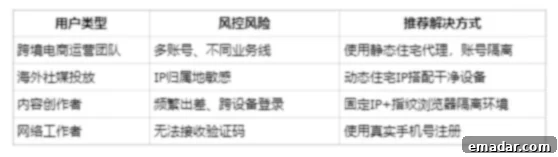
- Cross-border E-commerce Merchants: Those operating online stores internationally, needing to reach diverse global audiences on Instagram.
- Digital Marketing Agencies: Managing multiple client accounts and requiring robust, ban-resistant setups for consistent campaign delivery.
- Social Media Influencers and Content Creators: Protecting their personal brand and revenue streams from unexpected account disruptions.
- Affiliate Marketers: Running various campaigns across different niches and requiring reliable Instagram accounts for promotions.
- Individuals and Businesses Operating from Restricted Regions: Those who face challenges accessing or maintaining Instagram accounts due to geographical restrictions or heightened scrutiny.
- Anyone Managing Multiple Instagram Accounts: Ensuring each account is treated as a unique entity to prevent inter-account linking and collective bans.
Conclusion: The Path to Sustainable Instagram Growth
Instagram’s risk control mechanisms are indeed becoming increasingly “intelligent” and sophisticated. However, their core logic remains consistent: they operate on the principle of detecting a “trustworthy environment paired with genuine behavior.” This means that you are not prevented from registering; rather, you are expected to register and operate your account in a manner that closely simulates that of a real, organic user.
Most instances of immediate account bans after registration can be attributed to anomalies in the network environment or device fingerprints, which trigger the platform’s automated detection systems for suspicious activity. By strategically employing a reliable proxy network, such as the authentic IPFLY residential proxies, in conjunction with meticulously adhering to proper registration and initial behavioral protocols, you can significantly mitigate the risks of triggering Instagram’s security measures. This proactive approach paves the way for stable, long-term account operation and sustainable growth on the platform.
IPFLY stands out in the proxy market due to its robust infrastructure, featuring self-built servers and an advanced big data screening system. This ensures that it delivers only the highest quality proxy solutions:
- Authentic ISP-Assigned Residential IPs: Providing genuine IP addresses directly from Internet Service Providers, indistinguishable from real home connections.
- Clean and Uncontaminated IP Segments: Offering pristine IP ranges that are not shared and have no history of abuse, ensuring a fresh start for your accounts.
- Advanced IP Detection, Geolocation Filtering, and Multi-Country Switching: Giving you precise control over your IP environment, allowing for targeted operations and enhanced security.
To effectively manage and mitigate risks, and to achieve secure IP isolation for all your Instagram operations, choose IPFLY and secure your digital presence!